Ground the review
OCR reads the exact before and after commits through a server with no write access to your repository.
REVIEW WITH EVIDENCE
Run AI code reviews locally or in GitLab CI with Alibaba Open Code Review (OCR). The toolkit supplies exact commits and relevant project decisions, checks findings, and records the result.
LATEST RELEASE See what’s new in the toolkit ↗
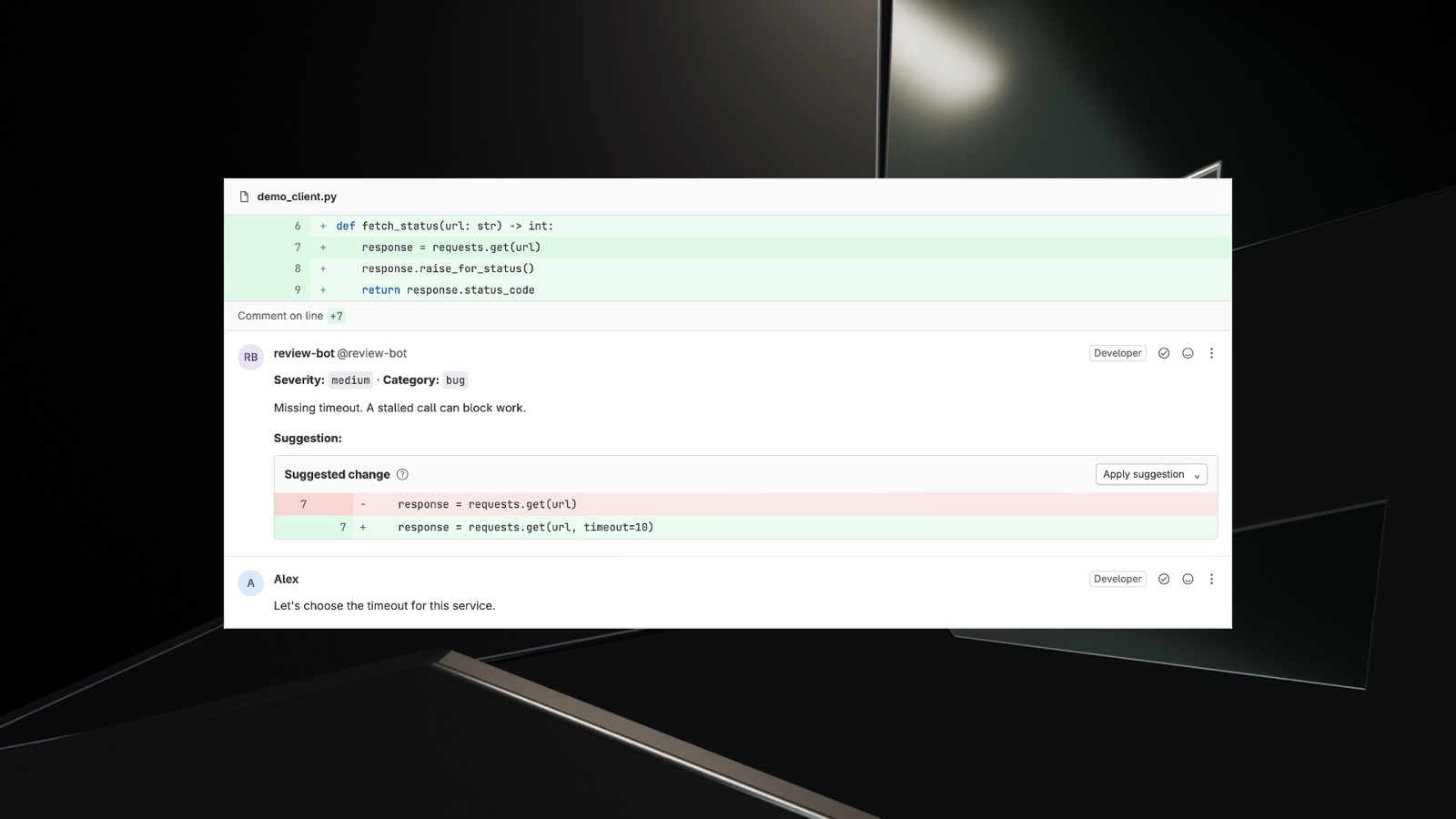
response = requests.get(url)requests.get(url)requests.get(url, timeout=10)Let’s choose the timeout for this service.
01 / THE APPROACH
OCR can inspect the code, history, and project guidance behind a change, not just the patch.
OCR reads the exact before and after commits through a server with no write access to your repository.
Reject invalid output, filter sensitive data, and record which commit was reviewed.
Save a local report or post to GitLab. Replies from people stay in place when the bot runs again.
02 / WHO IT HELPS
Review on your machine without GitLab credentials. Read checked findings in a private report. Use an API provider, or sign in with ChatGPT on a trusted personal device.
Explore local reviewPost inline findings in GitLab, keep threads once someone replies, and replace untouched bot notes when a new review succeeds.
Explore review operationsStart with a CI review that advises without blocking merges. See which commit was reviewed, which notes reached GitLab, and where a run stopped. Add stricter rules when your team trusts the results.
Plan a GitLab rollout03 / IN THE WORKFLOW
The timeout suggestion looks sensible, but the right number depends on the service. A developer can challenge it in GitLab, and that conversation stays in place on later runs.
Explore GitLab review operations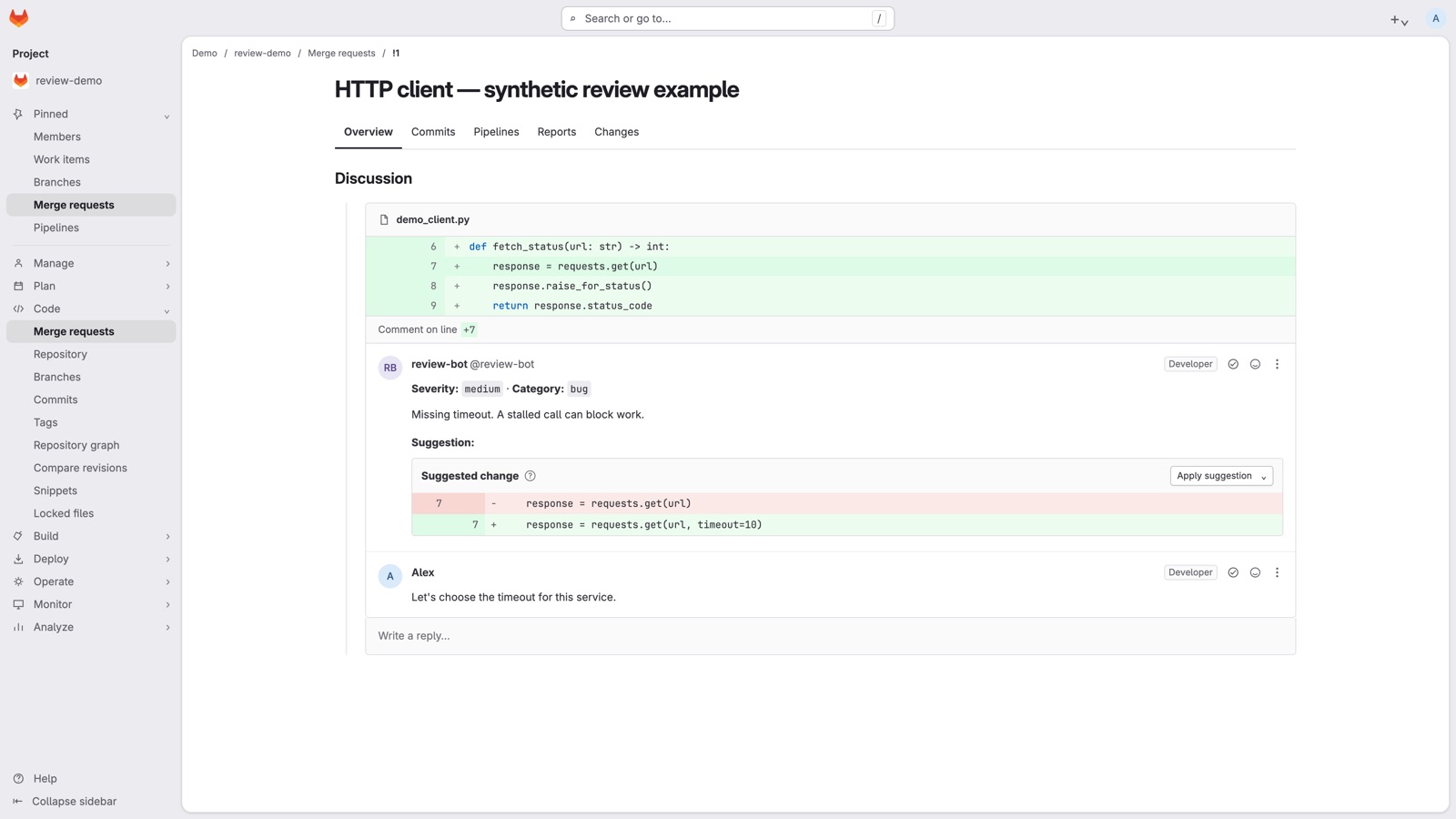
04 / CURRENT CAPABILITIES
On a trusted personal machine, explicit local mode can use OCR’s native ChatGPT authentication. GitLab CI still uses configured API providers; the two paths stay separate.
Local setup ↗Read-only evidence from the base and proposed commits gives OCR verifiable facts on demand. Accepted decisions and guidance come from the target branch, so a proposed change cannot approve itself.
Project context ↗When protected-target policy allows it, reviews can use bounded GitLab discussions, verified remediation history, and CI outcomes from the exact reviewed revision. Partial or unavailable context remains visible.
Context rules ↗Optional Model Context Protocol (MCP) tools can supply extra facts. Allowlisted tools face schema, origin, budget, sensitive-data, and usage checks. The built-in repository evidence server remains mandatory.
Tool controls ↗05 / WHAT’S NEW
Local reviews can use OCR’s native ChatGPT sign-in. API providers still work as before.
The recommended OCR can review more file types, including PowerShell, shaders, and OpenTofu.
The trust store was updated to remove a compromised certificate authority.
06 / FIELD NOTE
A green CI job does not mean a finding was posted. Compare the review result with the notes on the merge request.
Use these as operating checks. Compare quality and lead time against your team's baseline before changing policy.
Rounded shares from separate groups. They describe toolkit operation, not review quality or time saved.
07 / ONE MINUTE OVERVIEW
See how repository facts become a finding, and how a developer responds.
08 / FIRST REVIEW
Install the toolkit, add the verified ocr binary, and choose a model. Then run preflight and review one commit into a private Markdown report. GitLab CI can come later.
ocr-ci preflight --local
ocr-ci review --local \
  --result review.json \
  --stderr review.stderr \
  --report review.md \
  -- --commit HEAD
Use the verified OCR version and a configured model. Preflight checks setup without a model call. HEAD becomes a fixed commit before review.
PRACTICAL DETAILS
The toolkit is open source under Apache-2.0. Model use and GitLab infrastructure may cost extra; OCR is installed separately. Check your provider's pricing and set a budget before you run it. Configuration ↗
Your chosen model provider receives the review context sent to it. In GitLab mode, the toolkit can post checked findings to a merge request. It limits context and filters sensitive data, but your team should confirm its provider and repository policies. Security model ↗
Missing timeout. A stalled call can block work.